NVIDIA has published a five-step implementation guide for converting an ABB YuMi robot’s CAD files into a SimReady asset and testing it in Isaac Sim. For robotics developers, the documented approach is designed to move asset preparation beyond visual OpenUSD conversion by validating the materials, collision shapes, joints and physics properties that affect simulated behavior.
The post is a walkthrough, not a platform or model launch. It combines NVIDIA Omniverse libraries, SimReady Foundation specifications and NVIDIA agent skills; GPT-6 Astra is one example of a frontier model used to interpret reference materials and write Python that calls those tools. NVIDIA says the pattern can be adapted to other models and robot systems.
SimReady frames the asset requirements
SimReady defines requirements for OpenUSD assets used in particular simulation scenarios. Developers select a profile for the intended use, validate the asset against its structural, material and physics requirements, then address flagged issues and recheck the result.
NVIDIA’s guide stresses why that validation is needed: a robot can look correct yet fail during a simulation. Missing collision geometry can allow an object to pass through a gripper; incorrect joint definitions can stop coordinated motion; and mass and friction values can determine whether a grasp remains stable. In the guide, OpenUSD carries geometry, assembly structure, materials and simulation properties, while Isaac Sim is used to configure physics and exercise robot behavior.
Conversion and appearance come before rigging
The first stage imports YuMi STEP files into Isaac Sim and places both grippers at their arm mounting points. NVIDIA’s sample setup uses the robot specifications, CAD files, reference images and video, the SimReady Foundation repository and a CAD-to-SimReady skill. The early checkpoint is deliberately basic: confirm the robot is imported, inspectable and understood before proceeding with assumptions or physics work.
Next, the model is compared with ABB reference imagery to check its scale, orientation and part placement, then its materials and textures are adjusted. NVIDIA says the visual treatment in this example was estimated through color, metallic response and roughness adjustments, while preserving the CAD geometry and mounting transforms. It was not measured material reconstruction and did not use AI-generated textures, a material qualification for teams treating a rendered asset as a stand-in for a physical robot.
Physics settings are partly estimated
The third step configures both arms and grippers: joint definitions, axes and limits, mass and inertia, collision geometry, base mounting and gripper motion. NVIDIA says an agent retrieved a public URDF to identify joint axes and the zero configuration when the available input did not provide enough context.
Several critical values were estimated. Per-link masses came from STEP geometry volumes and were normalized to manufacturer-specified totals of 38 kg for the robot and 0.28 kg for each gripper. Centers of mass and inertia were calculated using solid, uniformly dense parts, with motors, gearboxes and wiring not modeled individually. The workflow also used convex collision shapes, approximated surface response, static friction of 0.8, dynamic friction of 0.6 and zero restitution. NVIDIA says these settings were not calibrated against physical YuMi measurements.
Validation checks the simulation implementation
In step four, the YuMi OpenUSD asset is validated against selected SimReady Foundation requirements and Isaac Sim checks. NVIDIA reports checking units, dependencies, geometry, materials, rigid bodies, joints, drives and articulation, as well as scale, orientation, gripper mounting, material coverage and texture dependencies.
All 21 rigid bodies in the example had positive masses and physically admissible inertia tensors, with runtime values matching authored values, according to NVIDIA. The reported checks also covered joint axes, frames, limits, drives, finger mimic behavior and fixed-base mounting, plus motion, contact, release and collisions on the tested trajectories. The company explicitly says this validates the demonstrated simulation implementation, not agreement with real-world YuMi dynamics or collision safety across every possible pose.
Pick-and-place provides the final task test
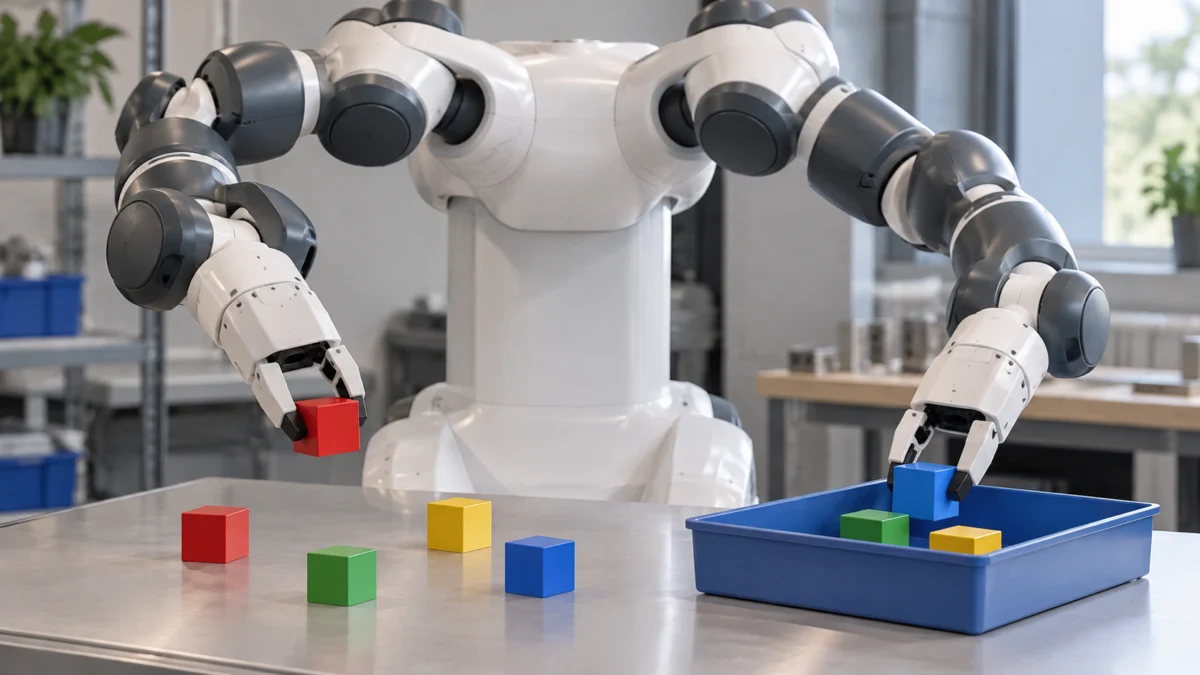
The final stage combines the earlier visual, physics and SimReady checks with task execution. In the cube demonstration, both arms and grippers completed four pick-and-place cycles during a 122.2-second physics simulation. Each arm grasped a cube, lifted and held it for two seconds, transferred it to a matching color target, released it, then picked it up again and placed it in a box.
NVIDIA says finger contact and friction carried the cubes, without attachment joints, kinematic holds or direct cube-pose updates. The test used 45 mm, 40 g cubes and the same uncalibrated friction assumptions; all cycles passed the guide’s defined grasp, hold, transfer, release and placement criteria. A separate example used a reference image to create a marker asset with estimated 140 mm dimensions, a 10 g mass and approximate cylindrical collision geometry; the simulated gripper lifted it from a tabletop and released it into a blue tray.
The practical contribution is the workflow’s order: import source geometry and references, inspect appearance, author and document physics assumptions, apply profile-specific validation, then test the asset in an end task. NVIDIA cautions that results can vary by model, prompt and reasoning effort, so the examples support the tested simulation setups rather than broad claims about real-world performance or safety.
Source: NVIDIA Developer Blog
Definition. SimReady is a set of requirements for OpenUSD assets used in specific simulation scenarios.
| Workflow stage | Documented activity |
|---|---|
| Import and inspect | Import YuMi STEP files, position grippers and verify the robot is inspectable. |
| Appearance | Compare against reference imagery and adjust estimated materials and textures. |
| Physics | Configure joints, mass, inertia, collision geometry, mounting and gripper motion. |
| Validation | Check SimReady requirements and Isaac Sim implementation details. |
| Task test | Run pick-and-place cycles to test grasp, hold, transfer, release and placement. |
Key takeaways
- The workflow proceeds from CAD import and visual inspection to physics authoring, validation and task testing.
- Visual accuracy alone is insufficient because collision geometry, joints, mass and friction affect simulated behavior.
- The example uses estimated material and physics settings rather than measured reconstruction or calibrated YuMi dynamics.
- Validation covered asset structure, materials, rigid bodies, joints, drives, articulation and tested task behavior.
- The reported results support the demonstrated simulation setup, not real-world safety or performance claims.
FAQ
What are the five steps in NVIDIA’s SimReady workflow?
The guide covers importing source geometry and references, inspecting appearance, authoring physics assumptions, applying profile-specific validation and testing the asset in an end task.
Were the YuMi physics properties calibrated against the physical robot?
No. Several values, including friction and link properties, were estimated; NVIDIA says the implementation was not validated for agreement with real-world YuMi dynamics.
What task did the simulated YuMi robot complete?
Both arms and grippers completed four pick-and-place cycles in a 122.2-second physics simulation using 45 mm, 40 g cubes.
What did the validation checks cover?
Checks covered units, dependencies, geometry, materials, rigid bodies, joints, drives, articulation, scale, orientation, gripper mounting and tested motion and contact behavior.